01
Manual administration
Registers, ledgers, and printed memos slow staff down and create silent errors.
Tetademic helps primary and secondary schools simplify administration, process results faster, and keep parents informed — with AI tools that generate exams, grade theory answers, and tutor students around the clock.

Built for
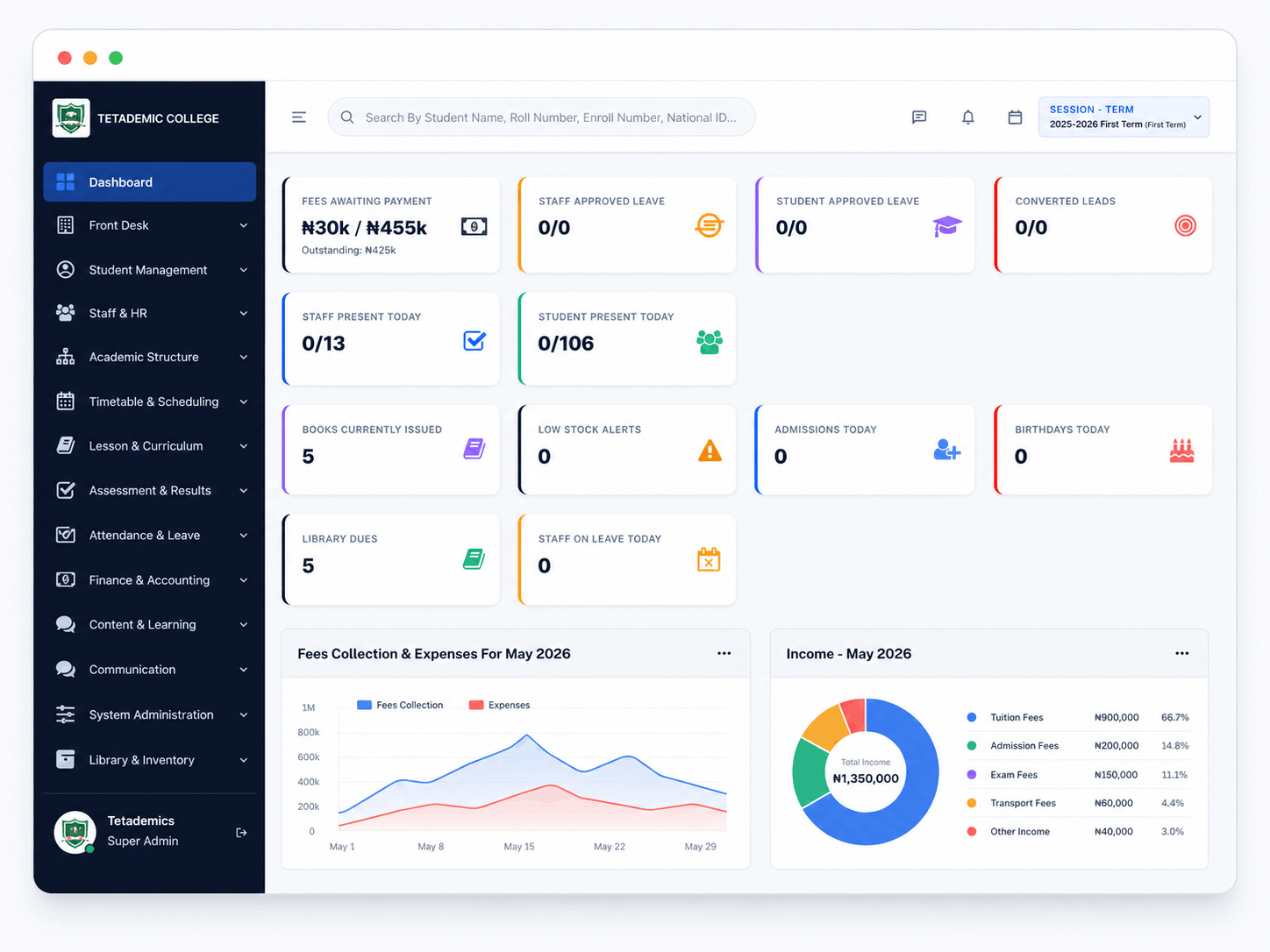
Live student counts, attendance, fees collected and outstanding, plus the day's notices — all scoped to the current session and term. Switch terms from the same page; nothing else moves.
We spent two years sitting in staff rooms and bursaries before writing a line of code. These are the operational frustrations Tetademic is built to remove.
Registers, ledgers, and printed memos slow staff down and create silent errors.
Files split between offices, exercise books, and personal phones — nothing reconciles.
End of term turns into weeks of late nights compiling marks across subject teachers.
Parents only learn about issues after they've grown — circulars rarely reach home.
Daily class attendance is recorded but never aggregated into anything useful.
Bursars chase balances on paper while parents ask for receipts that can't be found.
Attendance, timetables, lesson plans, and class registers — visible to admin, teachers, and class captains.
Continuous assessment, exams, traits, remarks, and broadsheets — produce a printable report card per pupil.
Fee structures by class and term, partial payments, fines, discounts, online and offline collection.
Result access, attendance updates, fee receipts and circulars delivered through portals, SMS, and the mobile app.
Not a chatbot bolted on. Five AI capabilities that change how exams are made, how answers are graded, how students learn after hours, and how administrators stay ahead of problems.
Upload lesson notes and the AI generates a full exam — objectives, fill-in-the-blanks, and theory questions — calibrated to the topic and difficulty level you set. No question bank required.
Teachers set the marking scheme. The AI reads each student's written answer, scores it, and writes specific feedback. Teachers review and approve. Grading a class of 40 takes minutes, not a weekend.
Every student gets a personal AI tutor that answers questions on any subject, explains concepts in plain language, and never gets tired. Available on the student app at any hour.
The AI monitors system activity, flags unusual patterns — bulk deletions, score edits after publishing, fee anomalies — and surfaces them to the head teacher before they become problems.
Every topic taught must be confirmed by the subject teacher and countersigned by the class captain. Administrators see live coverage across all subjects and classes — no more guessing what was actually taught.

Centralised operations, finance, HR, and reporting. Run multiple branches under one roof, with full audit trails and role-based permissions.

Mark attendance from a phone, plan lessons, set assignments, enter scores, and confirm scheme of work — without leaving class.

See attendance, results, circulars, and fee balances from a single mobile app. Pay fees online and download receipts on the spot.
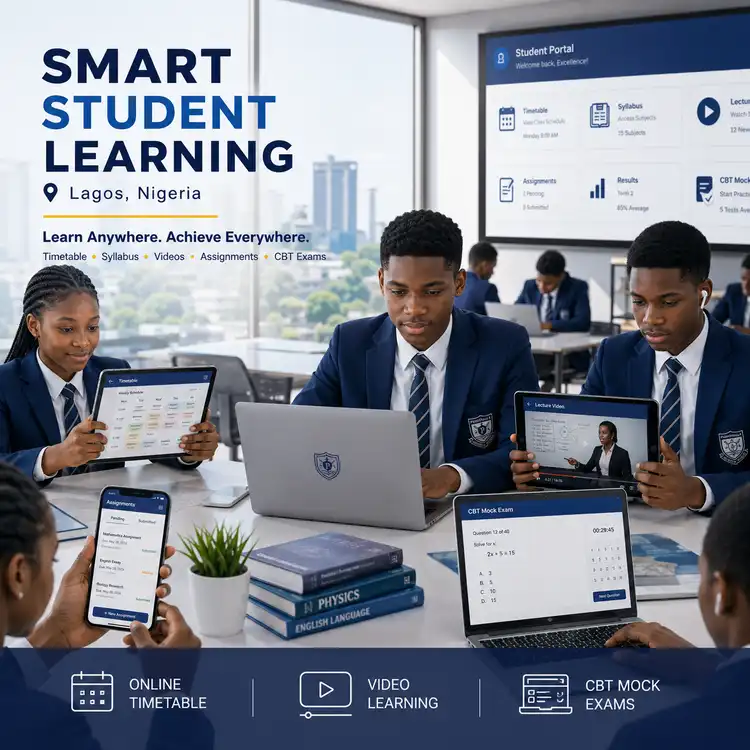
Access the timetable, syllabus, lecture videos, assignments, results, and CBT mock exams from any device.
“End-of-term result processing dropped from three weeks to four days. Our subject teachers enter scores directly and the broadsheet compiles itself.”
“Parents stopped calling the bursary about receipts. Every payment generates an SMS and a downloadable PDF, and our records finally reconcile.”
“I mark attendance on my phone before first period and the head teacher sees the class list before assembly ends. It is that simple.”
Our demo school is pre-loaded with students, staff, classes, fees, and results. Pick a role below and see exactly what that user sees — no installation, no credit card.
Open live demo →Full platform access — manage students, staff, finance, settings, and all modules.
Log in as Super Admin →View timetable, assignments, results, syllabus, and access the AI Tutor.
Log in as Student →Collect fees, record payments, run finance reports, and manage payroll.
Log in as Accountant →Handle front office — visitors, enquiries, complaints, and postal management.
Log in as Receptionist →Manage books, issue and return records, and library member accounts.
Log in as Librarian →See your child's attendance, results, fee balance, and school circulars.
Log in as Parent →Login credentials are shown on the demo portal landing page.
We'll set up a private demo with your school's classes, subjects, and term structure already loaded — usually within 48 hours.